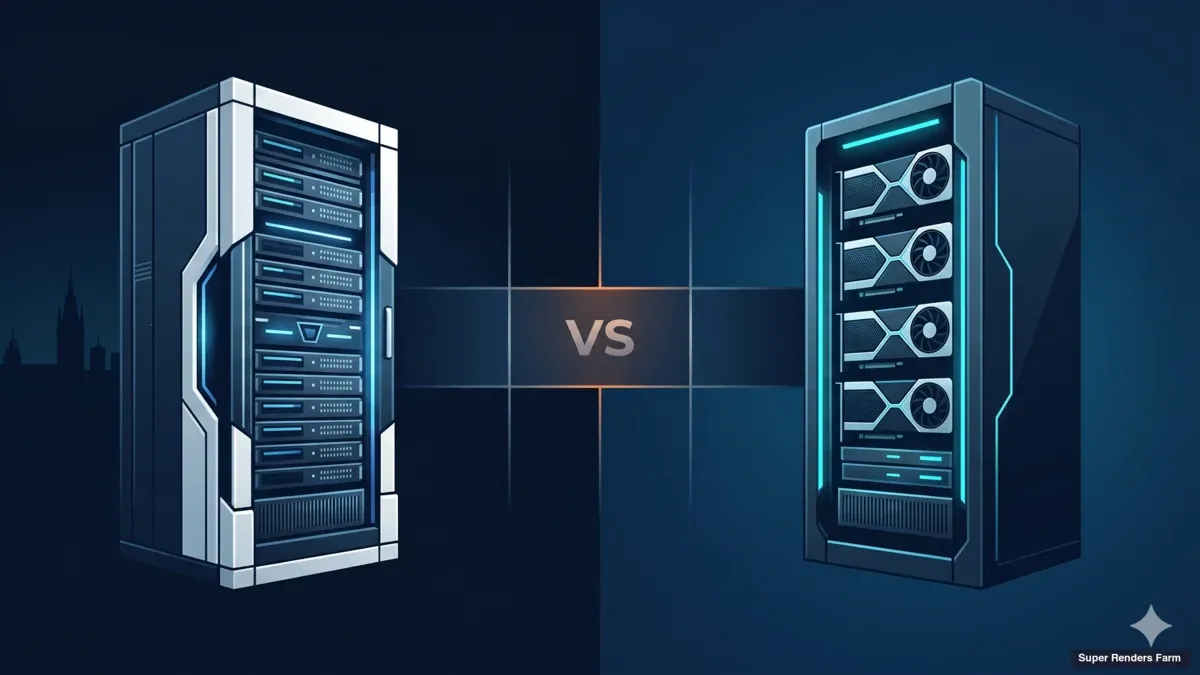
CPU Render Farm: Why CPU Rendering Still Dominates Cloud Rendering in 2026
Overview
Introduction
GPU rendering gets the headlines. Every hardware launch, every benchmark comparison, every render engine update leads with GPU numbers. And yet, on our farm, roughly 70% of all render jobs are CPU-based. V-Ray CPU, Corona Renderer, Arnold CPU — these engines process the majority of production frames across architectural visualization, broadcast animation, and VFX compositing.
That ratio isn't a legacy artifact. It reflects genuine technical advantages that CPU rendering has over GPU for specific workloads — advantages that haven't gone away despite GPU engines maturing significantly. CPU rendering offers access to large system memory (96-256 GB per node on our fleet), deep plugin compatibility, deterministic output, and a cost structure that scales predictably for large animation batches.
This guide explains why CPU rendering remains the backbone of cloud render farms in 2026, which workflows benefit most from CPU, how to optimize your scenes for distributed CPU rendering, and what to consider when choosing a CPU render farm for your production pipeline.
Why CPU Rendering Persists in a GPU World
The persistence of CPU rendering isn't about studios being slow to adopt new technology. It's about three structural advantages that GPU hasn't fully overcome.
Memory capacity. CPU rendering uses system RAM — 96 GB to 256 GB per node is standard on production render farms. GPU rendering is constrained by VRAM — even the NVIDIA RTX 5090 with 32 GB provides a fraction of what system RAM offers. For archviz projects with hundreds of high-resolution textures, heavy displacement maps, and millions of scattered vegetation instances, CPU is often the only option that doesn't require scene optimization to fit within memory limits.
Plugin ecosystem maturity. The CPU rendering pipeline has been refined over two decades. Plugins like Forest Pack, RailClone, Phoenix FD, Anima, and TyFlow were built and optimized for CPU workflows. While their geometry output can technically be rendered on GPU, the memory footprint of complex scatters (10+ million instances) often exceeds VRAM. On CPU, these scenes render without modification.
Deterministic, predictable behavior. CPU rendering produces identical results regardless of the machine it runs on (given the same engine version and settings). This matters for animation where frame-to-frame consistency is critical — and it matters for cost estimation, because CPU render times are highly predictable across similar scenes.
Which Render Engines Use CPU in 2026
Not all engines are equal in their CPU support. Here's the current landscape:
| Render Engine | CPU Rendering | GPU Alternative | CPU Still Preferred When... |
|---|---|---|---|
| V-Ray 7 | Full support, highly optimized | V-Ray GPU available | Scene exceeds VRAM; plugins depend on CPU path; studio has established V-Ray CPU pipeline |
| Corona Renderer | Full support, CPU only | No GPU version | Always — Corona is exclusively CPU. No GPU alternative exists |
| Arnold | Full support | Arnold GPU available | Heavy VFX scenes with complex shaders; deterministic output needed for compositing |
| Blender Cycles | Full support | GPU preferred by community | Scene exceeds GPU memory; using CPU-optimized features like strand rendering |
| Houdini Mantra | Full support | Karma XPU (hybrid) | Legacy Houdini pipelines; scenes with heavy procedural geometry. Note: SideFX is transitioning to Karma as the primary renderer — Mantra remains supported but is no longer the default |
The key observation: Corona has no GPU path at all, which means every Corona user in the world renders on CPU. Since Corona is one of the dominant archviz engines (alongside V-Ray), this alone accounts for a significant share of CPU render farm workloads.
V-Ray offers both CPU and GPU modes, but many studios maintain CPU workflows because their existing scene libraries, material setups, and plugin configurations are optimized for CPU. Migration to GPU isn't free — it requires testing every scene for VRAM compatibility and potentially rebuilding materials.
How a CPU Render Farm Works
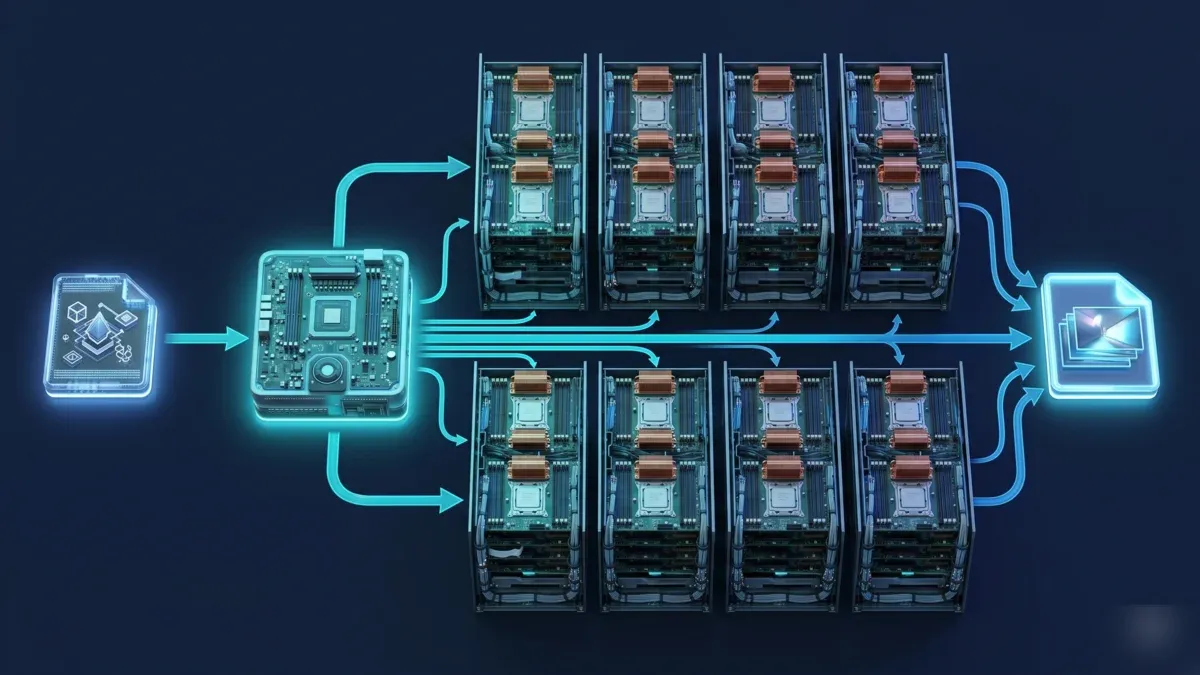
Diagram of a CPU render farm distributing a job from a scene file through a manager node to eight worker servers and into a composite output
Understanding the mechanics helps you optimize your workflow and predict costs.
Frame distribution. When you submit an animation to a CPU render farm, the scheduler assigns each frame to a separate machine. A 500-frame animation distributed across 200 machines means 200 frames render simultaneously — roughly 2.5 batches to complete the sequence. The wall-clock time drops from potentially weeks on a single workstation to hours on the farm.
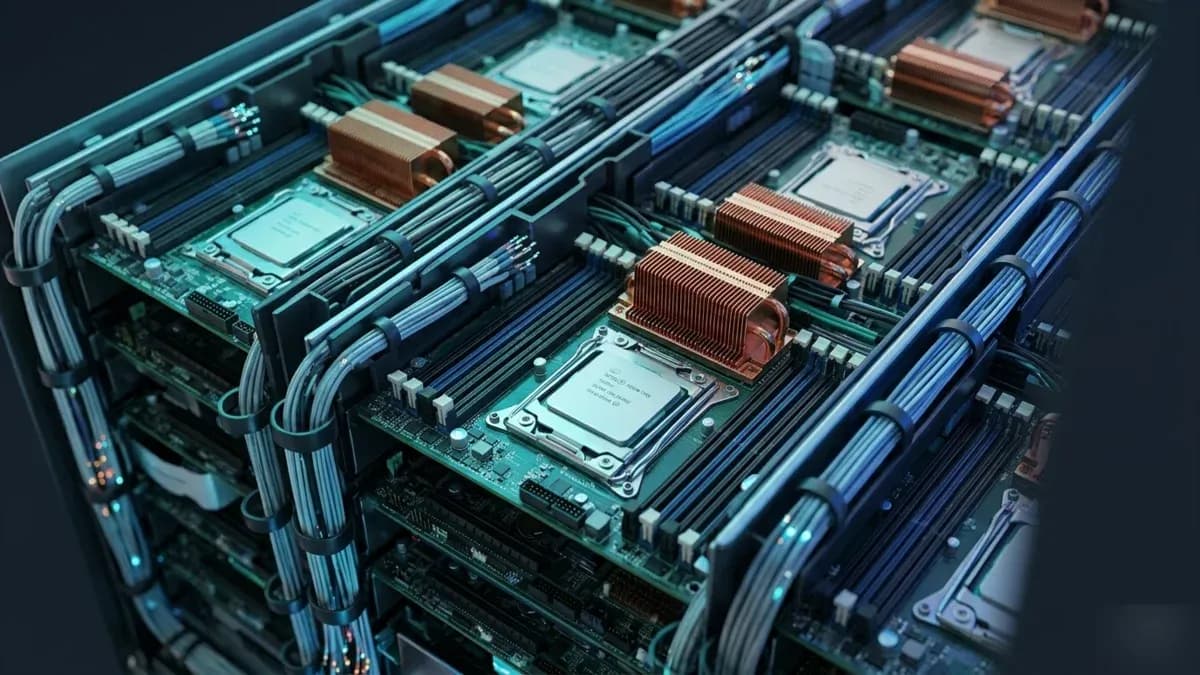
Per-frame rendering. Each machine loads your scene file, initializes the render engine, and computes all pixels for its assigned frame. On our fleet, each CPU node runs Dual Intel Xeon E5-2699 V4 processors — that's 44 physical cores per machine, all working on a single frame simultaneously. The more cores per node, the faster each individual frame completes.
Still image rendering. For single high-resolution stills (common in archviz), some farms support region rendering — splitting one frame into tiles that render across multiple machines, then compositing the tiles into the final image. This isn't universally supported, but it can significantly reduce turnaround for hero shots.
Scene dependencies. The farm needs access to everything your scene references: textures, proxy files, cache data, GI maps. Managed farms handle dependency collection through upload tools that scan your scene and package all referenced files. Missing assets are the most common cause of failed farm renders — and the most preventable.
Optimizing Scenes for CPU Render Farms
The difference between an optimized and unoptimized scene on a CPU farm can be 2-5x in render cost. These optimizations apply to any CPU render engine.
Texture management.
- Use texture sizes appropriate to camera distance. A 4K texture on an object 50 meters from camera wastes RAM and render time — 1K or 2K is visually identical at that distance.
- Convert textures to tiled formats (.tx for Arnold, .vrmap for V-Ray) where supported. Tiled textures load only the portions needed for visible pixels.
- Audit your texture library before upload. We regularly see projects with 40+ GB of textures where 60% are never visible in the final frame.
Displacement and subdivision.
- Displacement maps with high subdivision levels are the largest single cost multiplier in archviz. A dense carpet with 4 levels of subdivision across a large floor area can double frame render time.
- Use distance-based subdivision where your engine supports it. Objects far from camera don't need fine displacement.
- Bake displacement to geometry for objects that appear in every frame of an animation — the one-time bake cost is far less than re-computing displacement 500 times.
Scatter optimization.
- Forest Pack and RailClone scenes with millions of instances consume enormous amounts of RAM. Use distance-based density falloff: objects beyond 50 meters from camera can drop to 10-20% density with no visible difference.
- Proxy objects reduce memory per instance. Convert detailed meshes to V-Ray proxies or Forest Pack custom objects.
- For animations where camera moves through a landscape, set scatter density relative to camera position, not scene center.
GI and sampling.
- For animation, you can often reduce GI quality by 30-50% compared to still image settings. At 24-30 fps playback speed, per-frame noise is invisible in motion.
- Use light cache or irradiance map modes that can be pre-computed and shared across frames — this avoids recalculating GI from scratch on every frame.
- Target the minimum sample count that produces clean results after denoising. V-Ray's built-in denoiser and Corona's denoising allow lower sample counts without visible quality loss.
CPU Render Farm Cost: What to Expect
CPU render farm pricing typically uses a GHz-hour model: you pay for the total CPU clock speed multiplied by time consumed.
How GHz-hour pricing works:
A machine with 44 cores running at 2.2 GHz provides approximately 96.8 GHz of compute. If the farm charges $0.004/GHz-hr and your frame takes 10 minutes on that machine:
96.8 GHz x (10/60) hr x $0.004 = $0.065 per frame
For a 500-frame animation: 500 x $0.065 = $32.50 total
Typical cost ranges we observe across production jobs:
| Workflow | Resolution | Avg Frame Time | Cost/Frame | Typical Project |
|---|---|---|---|---|
| Archviz interior (V-Ray/Corona) | 3000x2000 | 8-15 min | $0.08-$0.18 | 5-20 angles |
| Archviz exterior (vegetation) | 4000x2250 | 15-30 min | $0.18-$0.40 | 5-15 angles |
| Product visualization | 4K | 5-12 min | $0.06-$0.15 | 10-50 frames |
| Broadcast animation (Arnold/V-Ray) | 1920x1080 | 3-8 min | $0.04-$0.10 | 1,500-3,000 frames |
| Character animation (Maya + Arnold) | 1920x1080 | 10-25 min | $0.12-$0.32 | 2,000-5,000 frames |
| Heavy VFX (volumetrics, particles) | 4K | 20-45 min | $0.25-$0.60 | 500-2,000 frames |
These numbers come from real jobs on our fleet. Your actual costs depend on scene complexity, render settings, resolution, and the farm's specific pricing. For a detailed breakdown including GPU comparison, see our render farm cost per frame guide.
Priority tiers affect total cost but not per-frame compute cost. Most farms offer low/standard/high priority. Low priority means your job waits for available machines but costs 30-50% less than rush. If your deadline allows it, low priority is the most cost-effective approach.
Choosing a CPU Render Farm: What Matters
Not all CPU render farms are equivalent. Here's what to evaluate:
Software and plugin support. Verify the farm supports your exact DCC version, render engine version, and critical plugins. "We support V-Ray" isn't enough — you need V-Ray 7.0.2 with Forest Pack 8.x and RailClone 10.x. Managed farms maintain specific version lists; check them before uploading.
Core count and node specs. More cores per node means faster individual frames. A farm running 44-core nodes renders each frame faster than one running 16-core nodes — which matters for single-frame turnaround and iterative testing. Ask about the actual CPU model, not just "high-performance servers."
Machine availability. A farm might have high-end hardware but limited capacity. During peak periods (end of quarter, competition deadlines), queue times can spike. Ask about typical queue times and whether the farm guarantees simultaneous node allocation for your job.
Licensing model. Does the farm include render engine licenses in the price, or do you bring your own? Most managed farms include V-Ray, Corona, and Arnold licensing. This is a significant cost factor — render engine licenses can add meaningful cost per node per year if purchased separately (check Chaos pricing for current V-Ray rates).
Upload and dependency handling. How does the farm handle scene dependencies? A good managed farm provides an uploader that scans your scene for external references and packages everything automatically. Poor dependency handling means failed renders and wasted credits.
Support quality. When renders fail — and they will, eventually — how fast and how technically competent is support? A support team that understands V-Ray light cache settings or Arnold TX texture conversion is worth more than one that reads from a generic troubleshooting script.
CPU Rendering in Archviz: The Dominant Use Case
Architectural visualization accounts for the largest share of CPU render farm usage, and the reasons are instructive.
Archviz scenes are memory-intensive by nature. A typical residential interior includes hundreds of textured objects — furniture with detailed fabric textures, kitchen appliances with reflective materials, flooring with displacement maps, curtains with translucency. Add exterior views with Forest Pack vegetation, landscaping, and environmental elements, and scene sizes regularly reach 30-60 GB of data.
This memory profile fits CPU perfectly and often exceeds GPU VRAM limits. An archviz studio working with V-Ray or Corona submits scenes that render reliably on CPU nodes with 128-256 GB RAM. The same scenes might fail on GPU or require extensive optimization to fit within 32 GB VRAM.
The workflow pattern is also CPU-friendly: archviz projects typically need 5-20 camera angles (stills) plus occasionally a walkthrough animation. The per-frame cost is moderate, and total project budgets usually fall in the $50-$300 range. For studios handling multiple projects monthly, CPU cloud rendering replaces the need for dedicated local render hardware that would sit idle between project deadlines. For more on archviz-specific workflows, see our render farm guide for architecture studios.
CPU vs GPU: When CPU Is the Wrong Choice
CPU rendering isn't always the answer. Being honest about its limitations helps you make better decisions.
When GPU is genuinely better:
- Your engine is GPU-native. Redshift and Octane have no CPU mode. If you're using these engines, CPU rendering isn't an option.
- Your scenes fit in VRAM with headroom. For scenes under 24 GB of data, GPU typically renders 5-8x faster per frame and often costs less per frame despite higher hourly rates.
- You need rapid iteration. GPU's speed advantage is most valuable during lookdev — rendering dozens of test frames to dial in materials and lighting. Waiting 15 minutes per CPU test frame versus 2 minutes on GPU adds up quickly.
- You're doing motion design. Short-form animation with stylized or moderate-complexity scenes is where GPU cost-efficiency peaks.
For a detailed comparison of both approaches, see our GPU rendering vs CPU rendering guide.
The practical pattern we observe: studios that work primarily in archviz and VFX compositing stay on CPU. Studios focused on motion design and lookdev-heavy workflows use GPU. Studios doing both use a farm that supports both compute types.
The Future of CPU Rendering
CPU rendering isn't disappearing, but its role is evolving.
VRAM is growing. The RTX 5090's 32 GB is double what the RTX 3090 offered. Future GPU generations will likely push to 48 GB or beyond. As VRAM grows, more scenes that currently require CPU will fit on GPU. But scene complexity also grows — artists fill available memory, so the goalposts keep moving.
Hybrid rendering is maturing. V-Ray 7's hybrid mode distributes work across CPU and GPU simultaneously on the same machine. This approach extracts maximum hardware utilization and blurs the CPU/GPU divide. On a render farm, hybrid rendering could mean every node contributes both CPU and GPU compute to your job.
CPU architectures are improving too. AMD EPYC and Intel Xeon Scalable processors continue adding cores and improving per-core performance. A modern EPYC 9654 provides 96 cores at 3.55 GHz — roughly double the compute of older Xeon E5 v4 processors. CPU rendering isn't standing still while GPU advances.
Corona's direction matters. As a CPU-only engine with a large user base, Corona's roadmap directly impacts CPU render farm demand. If Chaos eventually ships a GPU version, it would shift workloads. But as of 2026, there's no announced GPU roadmap for Corona — meaning CPU rendering is guaranteed to remain essential for the foreseeable future.
Summary
| Factor | Detail |
|---|---|
| Why CPU persists | Memory (96-256 GB RAM), plugin ecosystem, deterministic output, cost predictability |
| Primary engines | V-Ray CPU, Corona (CPU only), Arnold CPU, Cycles, Mantra |
| Dominant use case | Archviz (memory-heavy scenes, Forest Pack/RailClone), VFX compositing |
| Pricing model | GHz-hour — pay for CPU compute time consumed |
| Typical cost | $0.04-$0.60 per frame depending on complexity and resolution |
| When NOT to use CPU | GPU-native engines (Redshift, Octane), scenes under 24 GB, lookdev iteration |
| Trend | Growing VRAM shifts some workloads to GPU, but scene complexity grows in parallel |
FAQ
Q: What is a CPU render farm? A: A CPU render farm is a network of servers that use processor cores (CPUs) to render 3D scenes in parallel. Each server typically has 16-96 cores, and the farm distributes animation frames across hundreds of machines simultaneously. CPU render farms handle the majority of cloud rendering workloads, especially for V-Ray, Corona, and Arnold projects where scenes require more memory than GPU VRAM provides.
Q: Is CPU rendering still relevant in 2026? A: Yes — CPU rendering handles approximately 70% of render farm jobs in 2026, based on our operational data. Corona Renderer is CPU-only, V-Ray CPU remains the dominant mode for archviz, and Arnold CPU is standard in VFX. GPU rendering is growing but hasn't replaced CPU for memory-intensive or plugin-heavy workflows.
Q: How much does CPU cloud rendering cost? A: Most CPU render farms charge per GHz-hour. Typical per-frame costs range from $0.04 for simple broadcast frames to $0.60 for heavy 4K VFX shots. A moderate archviz interior at 3000x2000 resolution typically costs $0.08-$0.18 per frame. Total project costs depend on frame count, resolution, and scene complexity. See our cost per frame breakdown for detailed pricing.
Q: Which render engines work on CPU render farms? A: V-Ray (CPU mode), Corona Renderer, Arnold (CPU mode), Blender Cycles, and Houdini Mantra all support CPU rendering. Corona is exclusively CPU — it has no GPU rendering option. V-Ray and Arnold support both CPU and GPU modes, giving studios flexibility to choose based on scene requirements.
Q: How do I optimize my scene for a CPU render farm? A: Focus on three areas: reduce texture sizes for distant objects (1K-2K instead of 4K for objects far from camera), lower displacement subdivision levels (use distance-based falloff), and optimize scatter density in Forest Pack or RailClone (drop to 10-20% density beyond 50 meters from camera). These three optimizations alone can reduce render cost by 30-50%.
Q: What's the difference between a managed CPU render farm and a DIY cloud setup? A: A managed farm pre-installs your render engine, plugins, and licenses — you upload a scene and receive finished frames. A DIY setup (AWS, Azure) gives you raw virtual machines where you install everything yourself. Managed farms are simpler and include licensing; DIY setups offer more control but require pipeline engineering resources. For a deeper comparison, see our managed vs DIY cloud rendering guide.
Q: How many CPU cores do I need for rendering? A: More cores means faster individual frames. A 44-core render node completes a frame roughly 2.5x faster than a 16-core workstation. On a cloud render farm, you don't choose core count directly — you choose how many machines (and at what priority) to assign to your job. The farm's total core count determines how many frames can render simultaneously.
Q: Should I switch from CPU to GPU rendering? A: It depends on your engine and scene complexity. If you use Corona, you have no GPU option. If you use V-Ray or Arnold and your scenes regularly fit within 24-28 GB of data, GPU rendering can be faster and cheaper per frame. If your scenes are memory-heavy (30+ GB) or rely on CPU-optimized plugins with large scatters, CPU remains the practical choice. Many studios use both — GPU for iteration and lookdev, CPU for final production renders.
About Thierry Marc
3D Rendering Expert with over 10 years of experience in the industry. Specialized in Maya, Arnold, and high-end technical workflows for film and advertising.